
Check & Update Softwares Installed on your PC Automatically
>> Thursday, October 8, 2009
Check & Update Softwares Installed on your PC Automatically: "
Most computers have numerous software’s installed downloaded from different source and there is a need for update each of them regularly when new releases are made. It can be a tedious job if you have to check all your installed softwares every day for the latest versions and then upgrade them. For this in the normal way you need to run each of these applications and find the – Upgrade Option, Check for Updates or Update Option and continue with this process. Even after this there is no guarantee that you will be able to keep your system perfectly updated because there are many beta releases of different applications which you can miss. Now here is a solution for this by one of the Biggest Software Downloads Website – FileHippo.com which is the ‘Update Checker‘.

Software Update Checker
Its a very light and small application of just 155kb in size, which can be installed very easily following which it also needs Microsoft .NET Framework 2.0 already installed on your computer. This can be directly downloaded from the Microsoft website through ‘Update Windows’ option or from this link
This small utility will collect information on all the programs installed on your computer and send back to filehippo.com where a report will be displayed online specifically for your PC with a list of all the Applications already installed and the softwares which should be upgraded. The report which is displayed on the filehippo website is deleted once the results are processed and shown to you on your default browser. you can directly click on the download buttons given there and continue with the updates to the software’s installed on your computer and keep it updated.
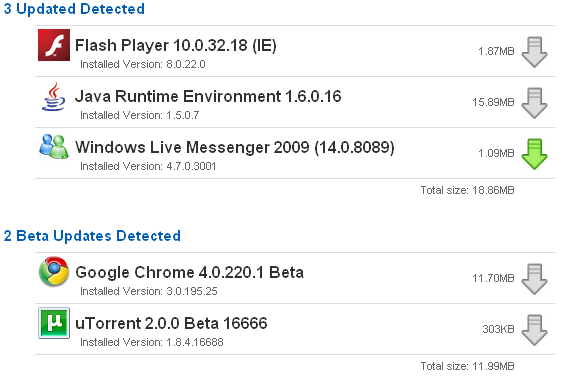
Software Updates Report FileHippo


 You need to check out the compatibility of your Camera if it would support the Eye-Fi Card though most SD format models are supported. Here is a list of all the features offered by the Eye-Fi Share Video 4Gb Wireless SD Card.

 Posts
Posts

